
Recently, Salesforce introduced Trailblazer.me, your reinvented resume and unified profile.
With Trailblazer.me on AppExchange, you can easily view the installs and subscriptions that are associated with your Trailblazer.me connected accounts. You can manage your AppExchange notifications, reviews, and comments from Trailblazer.me, which puts all of your account settings in one place.
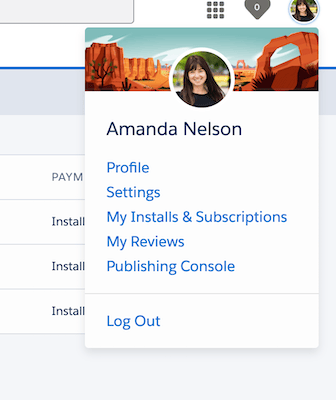
To access your Trailblazer.me profile (if you haven’t set it up yet,
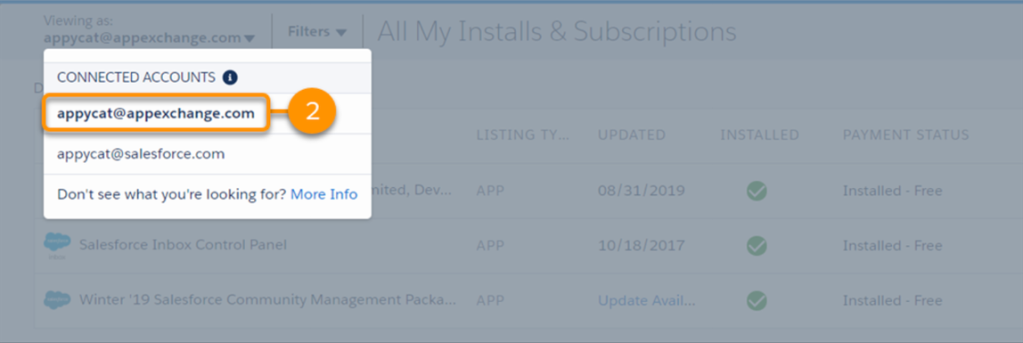
Once you’re logged in on AppExchange, easily switch between orgs with the new AppExchange account switcher. This streamlines how you manage installs and subscriptions from multiple orgs, such as production environments and sandboxes. (See figure 2 below.)
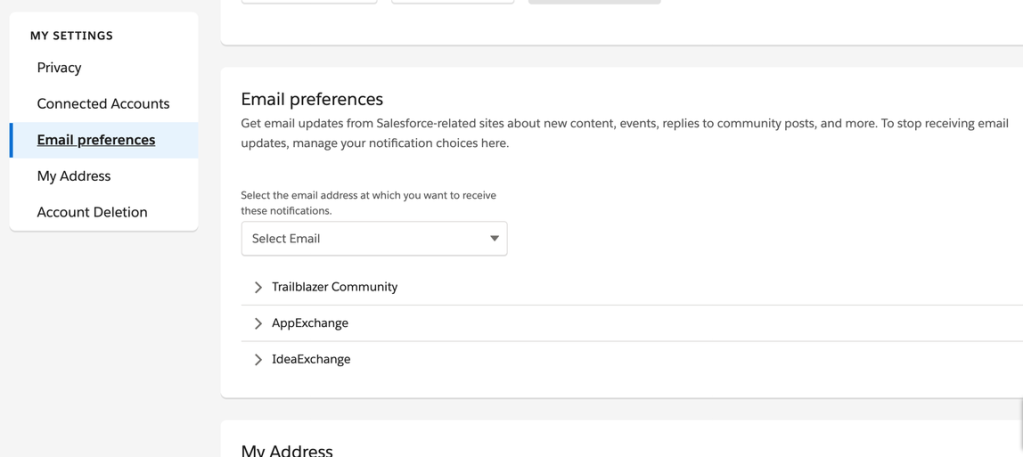
With Trailblazer.me, manage all of your account settings from one place, including the notifications that you receive from AppExchange. To update your notification preferences, go to the Email Preferences page on your Trailblazer.me profile.
If you have written a review or commented on a listing logged in with different Salesforce accounts, they will now be associated to your new Trailblazer.me profile. For details, see
To learn more, for direction on where to go with specific issues.check out