

Field Inspection by SharinPix - Visit Report/ Offline Form, Photo-Video-Sketch
Inspection Field App with Offline Forms + Photos for Non-Salesforce Users
Overview
Empower your inspection field service workers with an all-in-one solution: Dispatch jobs to external contractors Use Offline forms Take photos, sketches, annotations Markup on images, floor plans Scan doc Gather signature AI analysis (Photo to Field)
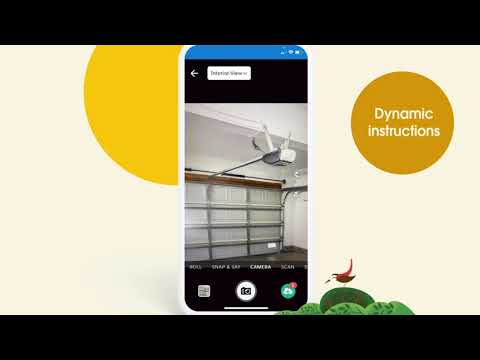
See How Field Inspection by SharinPix - Visit Report/ Offline Form, Photo-Video-Sketch Works
Assign and Track Jobs: Assign jobs to external field workers and track progress made on site through an activity feed. Provide instant feedback and don't miss key field data that needs to be collected during a visit.
Upgrade your field inspection with photos and everything visual: Take advantage of image capture, aerial views, annotation on floor plans, scanning documents, adding sketches to image templates and more.
Quickly build dynamic forms that function on mobile devices with photo-powered components that go beyond traditional input types. All that plus highly customizable classic inputs, including picklists, checkboxes, guided assessments, and more.
Work with Contractors: Let external contractors without a Salesforce license manage jobs and document field work via the FieldKnot Job App by taking photos, filling in plans, and signing documents.
Consolidated Job List: The FieldKnot Job App for Salesforce contains a single view of all jobs tasked to a worker, fully accessible offline.
Offline-First: Workers can document their jobs, no matter where the work is done. Full functionality without an internet connection, with background syncing.
Centralized Management: Back-office users can assign multiple jobs to a single worker and build job capture forms with an AI-powered, easy-to-use form builder.
Progress Tracking: Real-time sync to Salesforce provides power users with visibility into field activity and job progress. Auto-generated PDF summaries are shareable with project stakeholders like customers and management.
Limitless Features: Go beyond basic data capture with advanced capture methods like AI-powered Voice-to-Form and Magic Fill to extract data (complex text, numbers, status) by snapping a photo.
Do you work with contractors or field workers who need to document their job on-site? Add key features to manage successful inspections in your Salesforce implementation, even offline, on any mobile device, using FieldKnot, the job app from SharinPix. Be an inspection hero with the ultimate toolkit to build the best experiences for your team. SharinPix Inspection App includes A to Z features to make field inspections easy. Inside the toolkit, you will find: DYNAMIC FORM INTEGRATION: Let power users create and manage inspections, audits or forms covering all visual use cases: photos, sketches, signatures, plans, maps, scanned docs, plus the usual info based on Salesforce native capabilities. WORK WITH CONTRACTORS THROUGH THE FIELDKNOT JOB APP: This is especially vital for granting field data collection access to external users who lack access to your Salesforce, such as contractors. With our Job App, they can use all the tools to run an inspection, including photos, forms, signatures, and more. ULTIMATE VISUAL AND PHOTO FEATURES: Get unlimited photo storage plus 30+ components to build the best experience for working with photos, videos, PDFs, scanned docs, floor plans, and more
Categories
- Business Needs
- Project ManagementProcess ManagementDocument Management
- Industries
- Engineering, Construction, & Real EstateManufacturingTravel, Transportation, & Hospitality
- Personas
- AdministratorBusiness UserService Agent / Supervisor
- FeaturesNo LimitsThis product's apps, tabs, and objects don't count against your Salesforce org limits. Learn More in HelpLightning ReadyOptimized for Salesforce orgs that use Lightning Ready.Community BuilderReady to use in the Salesforce Community Builder.Managed PackageThis product is installed in your Salesforce org as a managed package and receives automatic upgrades.Lightning App BuilderReady to use in the Salesforce Lightning App Builder.Salesforce MobileSupports Salesforce for iOS and Android.
- No LimitsLightning ReadyCommunity BuilderManaged PackageLightning App BuilderSalesforce Mobile