
Explore apps for invoice automationIntegrate CRM with CLM solutions

Help & Support
Elevate Your Agents with AgentExchange Solutions
Easily enhance Agentforce with pre-built AI solutions from AgentExchange. Browse, install, and deploy agents, actions, and apps directly into your environment. Tell Me More
Have Questions?
Loading
Loading
EW User Clone: Clone Salesforce Users — Copy Profile, Permissions & Groups
Clone users in clicks or just type with AI — faster Salesforce onboarding.
Overview
Clone any Salesforce user in one click. Copies Profile, Role, Permission Sets, Permission Set Licenses, Public Groups, and Queue assignments instantly. Cut user setup from 20 minutes to seconds. Works for new users and updating existing ones.
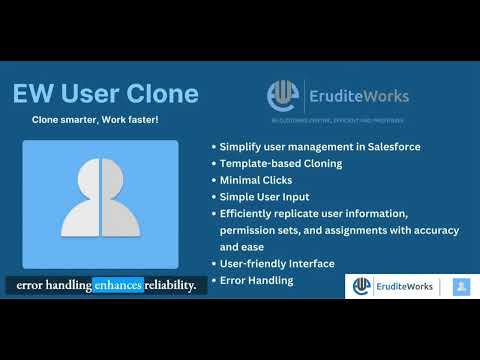
See How EW User Clone: Clone Salesforce Users — Copy Profile, Permissions & Groups Works
One-Click Cloning: Select a source user whose setup is already correct. Select the target user. Click clone. Done. The entire permission stack transfers instantly.
Update Existing Users: Not just for new users. Use it to bring an existing user's permissions in line with a colleague — instantly realigning access when someone changes roles or moves teams.
Consistent Access Across the Org: Manual user setup introduces inconsistencies. EW User Clone eliminates that variability — every cloned user gets exactly what the source user has.
Bulk Onboarding Ready: Onboarding multiple new reps from the same team? Clone the same source user multiple times. Each gets identical, consistent access without separate manual setups.
Permission Set License Support: Copies specialty Permission Set Licenses — a detail most admins forget manually and EW User Clone never misses.
Time Saved — By the Numbers: A typical manual user setup takes 15–20 minutes. With EW User Clone, that same setup takes under 30 seconds. For an org that onboards 5 new users per month, that's over 1.5 hours of admin time saved every single month.
Setting Up a New Salesforce User Shouldn't Take 20 Minutes. With EW User Clone, It Takes Seconds. Every time a new hire joins, a contractor needs access, or someone changes teams — a Salesforce Admin has to manually recreate the same Profile, Role, Permission Sets, Permission Set Licenses, Public Group memberships, and Queue assignments. One by one. Object by object. It's repetitive, error-prone, and completely avoidable. EW User Clone lets you select a source user, select a target user, and clone the entire permission configuration in one click. What used to take 15–20 minutes of careful manual work now happens in seconds — consistently, accurately, every time. What Gets Cloned — Everything That Matters: - Profile — the foundational access layer - Role — org hierarchy and visibility settings - Permission Sets — feature and object-level access grants - Permission Set Licenses — including specialty licenses like Sales Cloud Einstein or Inbox - Public Group Memberships — team-based record access - Queue Assignments — case, lead, and object routing memberships
Categories
- Business Needs
- ProductivityAdmin & Developer Tools
- Industries
- Financial ServicesGovernmentPublic Sector
- Personas
- AdministratorArchitectBusiness Operations Manager
- FeaturesNo LimitsThis product's apps, tabs, and objects don't count against your Salesforce org limits. Learn More in HelpLightning ReadyOptimized for Salesforce orgs that use Lightning Ready.Managed PackageThis product is installed in your Salesforce org as a managed package and receives automatic upgrades.Lightning App BuilderReady to use in the Salesforce Lightning App Builder.
- No LimitsLightning ReadyManaged PackageLightning App Builder