

Smart Forms & Surveys (native)
Build native public web forms that create Salesforce records.
Overview
Smart Forms & Surveys (native) allows you to easily create dynamic forms and surveys directly within Salesforce. With seamless integration, it automatically syncs data, providing real-time insights. Simplify data collection and improve engagement.
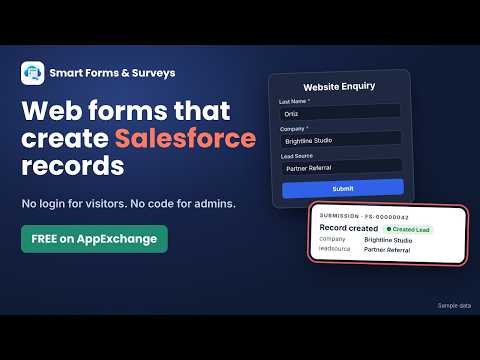
See How Smart Forms & Surveys (native) Works
Drag-and-drop form and survey builder, no code 100% native: no external callouts or third-party services.
Free to install and use. No license fee and no per-response charge.
No login for visitors. Share one link. Anyone can open your form and submit, with no Salesforce account.
Creates real records. Each response creates a record in the object you choose: Leads, Cases, Accounts or your own custom objects.
No-code builder. Tick fields from the object, reorder them, and rename questions. Required fields are added for you.
Your rules, per form. Make a field required on this form only, and show a question only for certain answers.
Preview, then share. Visitor view shows exactly what people will see. Every form gets its own public link and version.
Every submission is tracked. See the record of each response created, what the visitor sent, and any that didn't save.
Secure by design. 100% native with no external callouts. Least-privilege guest access and field-level security on every submission.
Smart Forms & Surveys lets admins build public web forms and surveys on Salesforce Sites, with submissions creating or updating records directly in your org. Everything runs natively on the Salesforce platform. There are no external callouts, no OAuth tokens, and no third-party servers, so your data never leaves Salesforce. HOW IT WORKS 1. Install the app and follow the built-in setup guide (one time, about 10 minutes). 2. Name your form and choose what each response should create. 3. Tick the fields you want, set required and conditional questions, and check Visitor view. 4. Save and share the public link. Every submission creates a record in Salesforce. Built with security in mind - Respects object and field-level security on guest submissions. - Runs in user mode with sharing enforced. - Fully native, so there is no external data transfer. Use it for lead capture, event registration, surveys, feedback, intake and application forms, and more.
Categories
- Business Needs
- SalesIT & AdministrationFinance
- Industries
- Engineering, Construction, & Real EstateTravel, Transportation, & HospitalityNonprofit
- FeaturesNo LimitsThis product's apps, tabs, and objects don't count against your Salesforce org limits. Learn More in HelpLightning ReadyOptimized for Salesforce orgs that use Lightning Ready.Person AccountsSupports Salesforce orgs that use Person Accounts.Managed PackageThis product is installed in your Salesforce org as a managed package and receives automatic upgrades.Lightning App BuilderReady to use in the Salesforce Lightning App Builder.Salesforce MobileSupports Salesforce for iOS and Android.
- No LimitsLightning ReadyPerson AccountsManaged PackageLightning App BuilderSalesforce Mobile
Compatibility
- Required Salesforce ProductsThis solution requires these products in order to work. Before you implement the solution, check that you have these products.
- Sales CloudNonprofit SolutionsConsumer Goods Cloud
- Compatible Salesforce ProductsThis solution is tested to work with and extends the value of these products, but doesn't require them.
- Sales CloudNonprofit SolutionsEducation Cloud
- Salesforce Editions
- ProfessionalEnterpriseUnlimitedDeveloperEssentials
- Supported Languages
- English