
Explore apps for invoice automationIntegrate CRM with CLM solutions

Help & Support
Elevate Your Agents with AgentExchange Solutions
Easily enhance Agentforce with pre-built AI solutions from AgentExchange. Browse, install, and deploy agents, actions, and apps directly into your environment. Tell Me More
Have Questions?
Satrang Enhance Dashboard - Google Chrome Extension for Salesforce
Auto Refresh dashboards and up to 7 Columns Salesforce Dashboard.
Overview
Get real-time updates from your Salesforce Dashboard with up to 7 columns. Use in Home Tab, Dashboard Tab, or Console App. Customize the UI by hiding the Salesforce Header or Dashboard Title. For a demo, schedule at https://bit.ly/3D6630a.
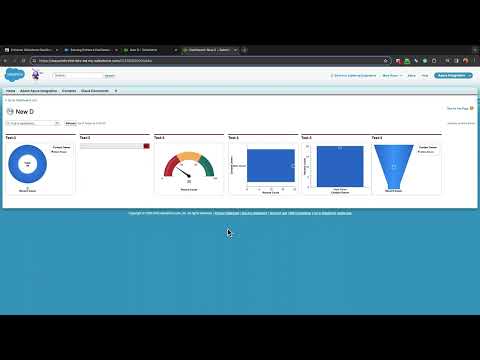
See How Satrang Enhance Dashboard - Google Chrome Extension for Salesforce Works
"Up to the second" real-time information from Salesforce Dashboards
Auto-Refresh the dashboard by setting the refresh frequency/duration.
Increase the columns up to 7 components in one row of a Dashboard
This Chrome extension will help you with real-time information from your Salesforce Dashboards and additional (up to 7) columns of Dashboard components, It saves time and helps with quicker results.
If you have any questions or need any support, check out the product knowledge base (including FAQs, configuration, and user guides) @ https://enhancesalesforcedashboard.satrangtech.com/.
To review the app's functionality & check out a detailed app demo, please book a meeting @ https://bit.ly/3D6630a.
You can watch or share the demo video @ https://www.youtube.com/watch?v=cZHAOFvhWic
Do you need real-time information from your Salesforce Dashboards and additional (up to 7) columns of Dashboard components? With this amazing Chrome Extension, you can now! Salesforce only allows you to refresh Dashboards daily, weekly, or monthly. With Enhance Salesforce Dashboard, you can now have "up to the second" real-time information*. Use options to set auto-refresh frequency/duration. Salesforce, by default, shows only three components in one row of a Dashboard. With Enhance Salesforce Dashboard, you can increase the columns to 7, i.e., show 4 or 5 or 6, or 7 components in one row of a Dashboard. Use Options to set the number of Dashboard columns. You can go ahead and install it to discover what you thought was not possible. Real-Time and Enhanced Salesforce Dashboards! Click "Get It Now" to install this chrome extension from Google Chrome Store. In v21.0.0, added below features - Enhanced Sales Console Home Page Dashboard Refresh - Enhanced Community Dashboard Refreshes In v20.0.0 - Added support to Reload/Refresh Tab After Dashboard Refresh - Added support for Extension to work with Enhanced Domain enabled. - Added support for community dashboard
Categories
- Business Needs
- Admin & Developer Tools
- Industries
- Horizontal Product
- Personas
- AdministratorConsultantDeveloper
- FeaturesLightning ReadyOptimized for Salesforce orgs that use Lightning Ready.Multiple CurrenciesSupports Salesforce orgs that use Multiple Currencies.Person AccountsSupports Salesforce orgs that use Person Accounts.Salesforce ShieldSupports Salesforce orgs that use Shield.Lightning App BuilderReady to use in the Salesforce Lightning App Builder.
- Lightning ReadyMultiple CurrenciesPerson AccountsSalesforce ShieldLightning App Builder