
Explore apps for invoice automationIntegrate CRM with CLM solutions

Help & Support
Elevate Your Agents with AgentExchange Solutions
Easily enhance Agentforce with pre-built AI solutions from AgentExchange. Browse, install, and deploy agents, actions, and apps directly into your environment. Tell Me More
Have Questions?
Loading
Loading
Astrea Clone
Clone records in Salesforce with Related list by a simple button click.
Overview
Astrea Clone helps organizations to clone records. Users can override values for fields that need to be in cloned records. Astrea Clone has many features which can help minimize the work in cloning records in Salesforce.
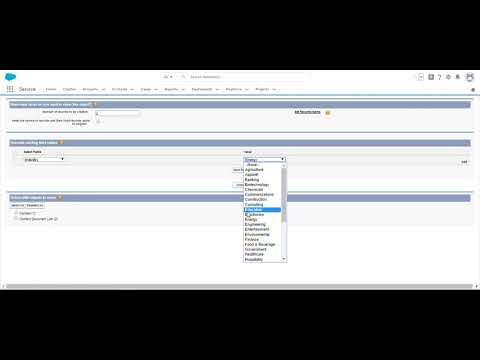
See How Astrea Clone Works
Astrea Clone works in classic and lightning Provide an option to select related lists that needs to be cloned for the record
Clone multiple records at a time from the list view
Astrea clone allows users to specify count of cloned records that needs to be created
Astrea Clone supports cloning records for all standard and custom objects. Now, users can clone single record as well as bulk records with a button click with two buttons, namely 1.‘Astrea Clone’ Button ->This button helps to clone one record at a time. 2.‘Bulk Clone’ Button -> This button helps to clone multiple records from the list view. These two buttons are only for Account and Contact. User can add clone button in any object required. Other features that Astrea Clone support are: * Clone multiple records at a time from the list view. * Specify the name for the cloned records. * Simple easy to use intuitive interface with just one screen. * Supports cloning of Notes and Attachments related to any object. * Users can define the number of clones that they want to be created for a record. * Users can select the related list which they want to clone along with the parent record. Only Related list which have data are shown. * Admin can define default rules for any Object which will be enforced across an organization. * Users can override the rules created by Admin. 15 days free trial and internationalization is available for Astrea Clone.
Categories
- Business Needs
- Admin & Developer Tools
- FeaturesNo LimitsThis product's apps, tabs, and objects don't count against your Salesforce org limits. Learn More in HelpLightning ReadyOptimized for Salesforce orgs that use Lightning Ready.Managed PackageThis product is installed in your Salesforce org as a managed package and receives automatic upgrades.
- No LimitsLightning ReadyManaged Package