
14 Tried-and-True Solutions by Salesforce Labs<br><a href="https://medium.com/@marianna-torres?source=post_page-----91966b03922a--------------------------------"></a>
Salesforce Labs brings free, employee-built solutions to
I first joined the team back in January 2020 as an intern. During that time, I had the opportunity to test out several solutions by the team.
Check out these 14 Tried and True solutions I tested out in my own Salesforce orgs!

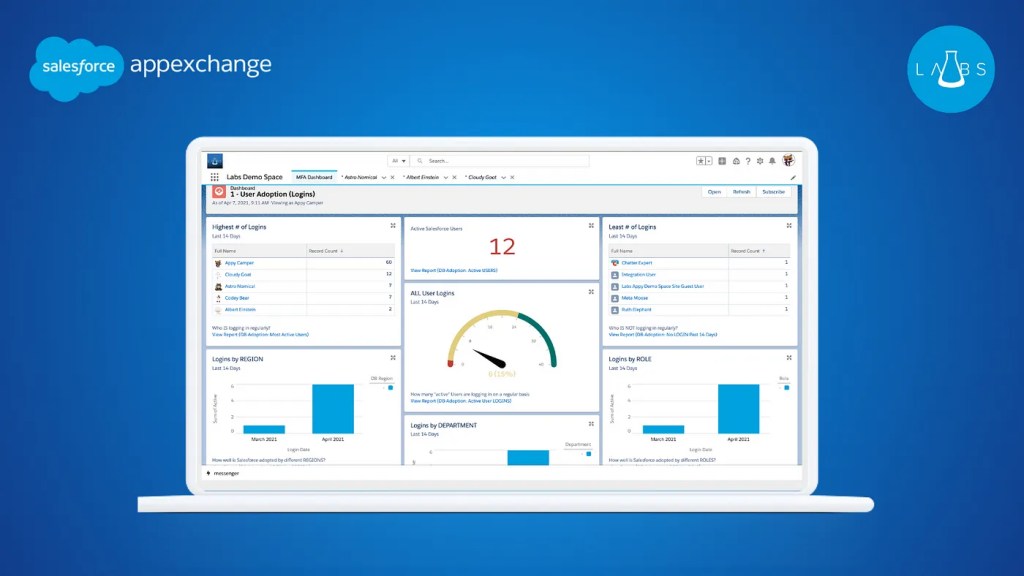
Great user adoption doesn’t just happen! The Salesforce Adoption Dashboards provide visibility to relevant user login history & trending, adoption of key features such as accounts & opportunities, and critical sales and marketing productivity enhancers.
Categories
Agentforce Content
Salesforce Adoption Dashboards
Adoption Dashboards is a must-try solution for anyone who’s new to Salesforce Labs or Salesforce in general.
This popular dashboard is your one-stop-shop for monitoring Salesforce adoption in your organization. If you recently shifted over to Salesforce from another platform, this dashboard can help you in identifying users that need to log in. Adoption Dashboard shows you exactly who is logging in and how many logins they’ve had in the past couple of weeks. You can also discover key insights pertaining to logins by department and region.
Time Warp
After all the excitement surrounding Time Warp online, I just had to test the solution myself.
Once I set it up and experimented with it, it’s easy to see why Admins love it so much.
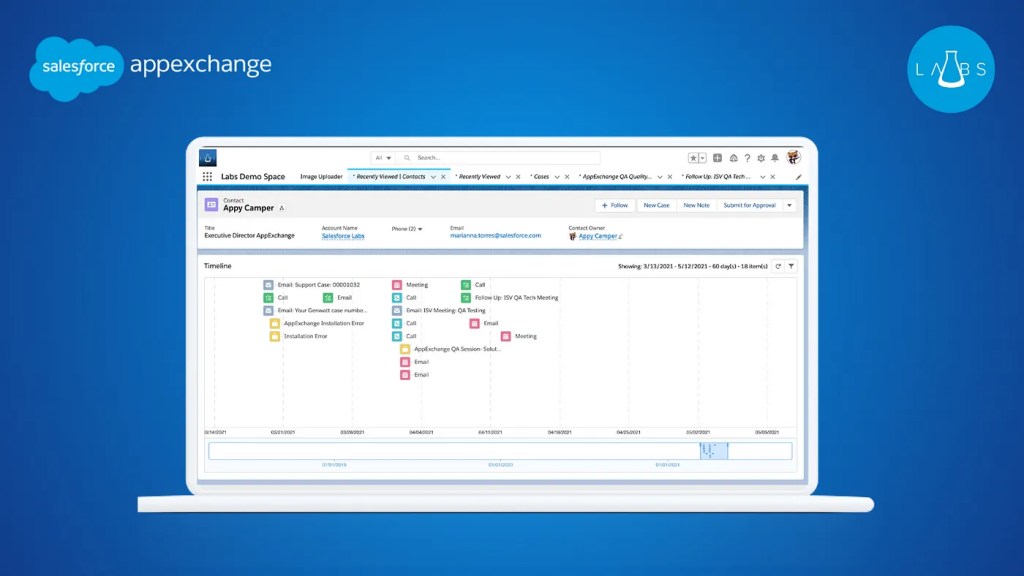
Time Warp is a highly interactive component that organizes all related records in a horizontal timeline. While Salesforce has a standard Activity Timeline that displays logged calls, emails, etc. to Account pages, it can be easy to get lost in all the data in your org. The Time Warp component helps solve this challenge by providing a fully collapse-able timeline, so you can stretch or minimize to see any period of time. One other thing: it is also equipped with a magical filter button, so you can choose to see records that are relevant to you.
Get a 360 degree view of key Leads, Accounts, Contacts, Cases, Assets and more by viewing their related records on one beautiful, interactive timeline. Scroll, zoom, hover and click your way to visualising a complete picture of your customer data.
Categories
Agentforce Content
Configure in app training and alerts for your end users using simple custom object based configuration. Trigger Lightning Flows based on criteria to drive process consistency with your end users.
Categories
Agentforce Content
Lightning Buddy
This solution takes me back to my internship days. At the time I had no experience with Salesforce- and I really struggled to understand the solution.
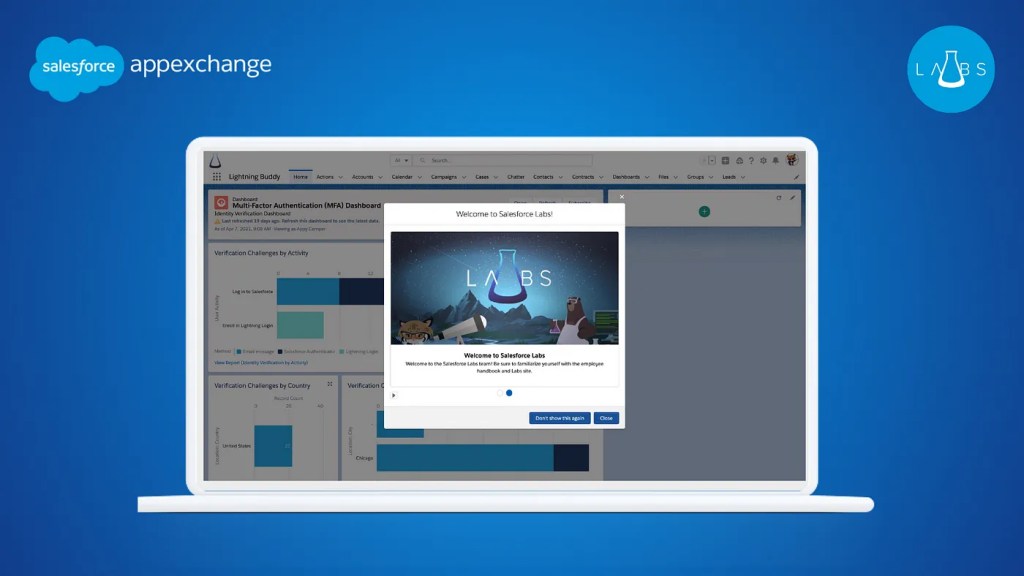
What I didn’t know was that by experimenting with this solution, I would walk out with an understanding of the Salesforce platform. Lightning Buddy lets Admins implement a wide range of notifications, pop-ups, and even videos to users in their organization.
The package comes equipped with two custom objects that let you set up these alerts, and you simply “program” each action by specifying the criteria in the object’s custom fields. You can configure things such as which alert to create (such as toaster alerts, rich text, or carousels), recurrence, and which objects to add these alerts to Lightning Buddy is a dream come true for Admins that are implementing in-app training to their environments. I personally love this solution because of the wide range of configurations available. I highly recommend taking a deep dive into the user guide.
Any Record Hierarchy
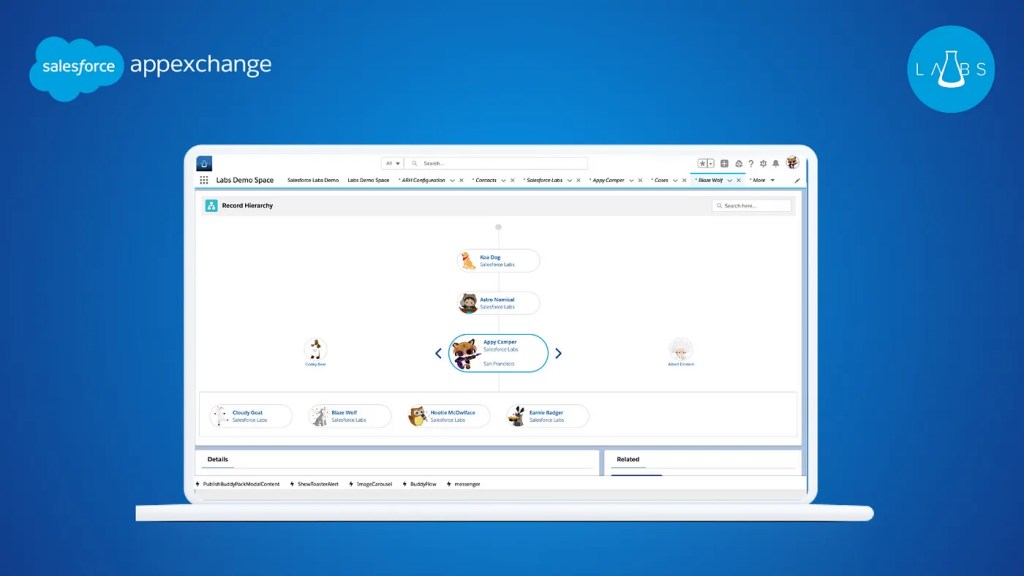
This component lets you organize records in an intuitive visual hierarchy.
After you’ve installed the package, simply assign the right permissions and you’re good to go! Any Record Hierarchy provides you with a component and a custom object that allows you to implement its configurations. Through this custom object, you can determine which object to visualize, the information that’s included on these icons, and whether the icons display an image or not. Since Any Record Hierarchy is an LWC, you can then drop it anywhere in your environment!
Any Record Hierarchy is an interactive component that shows the hierarchy of any given record in Salesforce. Fully native, highly customizable, and can be placed anywhere on the record page using the App Builder.
Categories
Agentforce Content
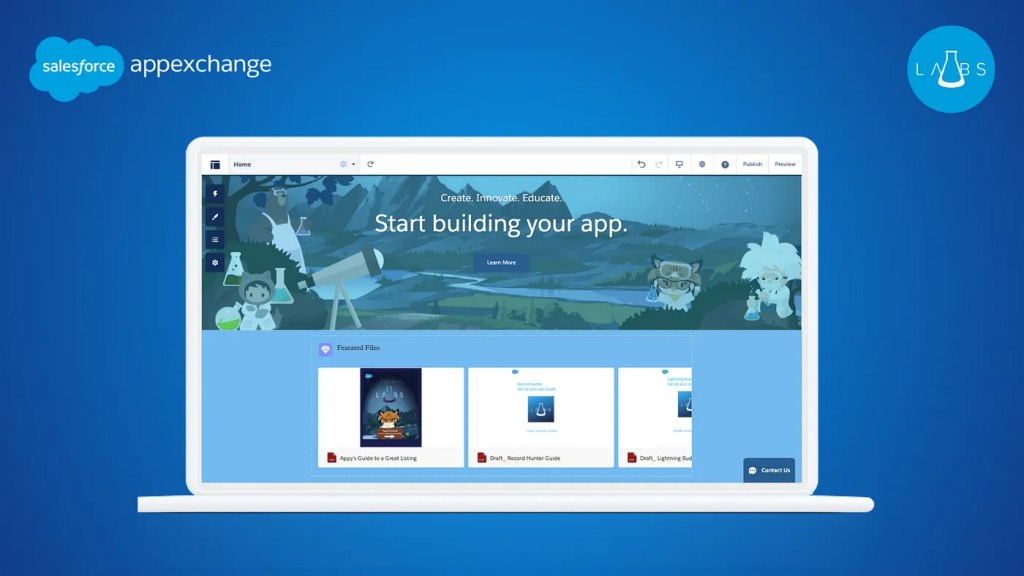
Featured Content consists of two components which are used to pin featured or important files and libraries to the community. This allows community users fast access to the files which are currently of highest importance.
Categories
Agentforce Content
Featured Content
Experience Cloud is my favorite of all the clouds because it provides a customized way for organizations to connect with customers.
If you’re looking for a way to enrich your Experience Cloud site, this LWC can help. The Featured Content component allows Admins to bring files, videos, and images to their Experience Cloud pages. Equip your site with engaging content, and let visitors learn more about your organization through pdfs, videos, and more rich media. The solution itself is simple enough- you just head on over to your Experience Cloud site and drag the component to the interface. The only other requirement is ensuring that you have your Experience Cloud page set up. Customers love content, so bring it right to them on your own site!
Lead Convert Chatter
I had a bit of difficulty understanding this solution when I first tried it out, but after experimenting with it, I realized that it’s easy as pie.
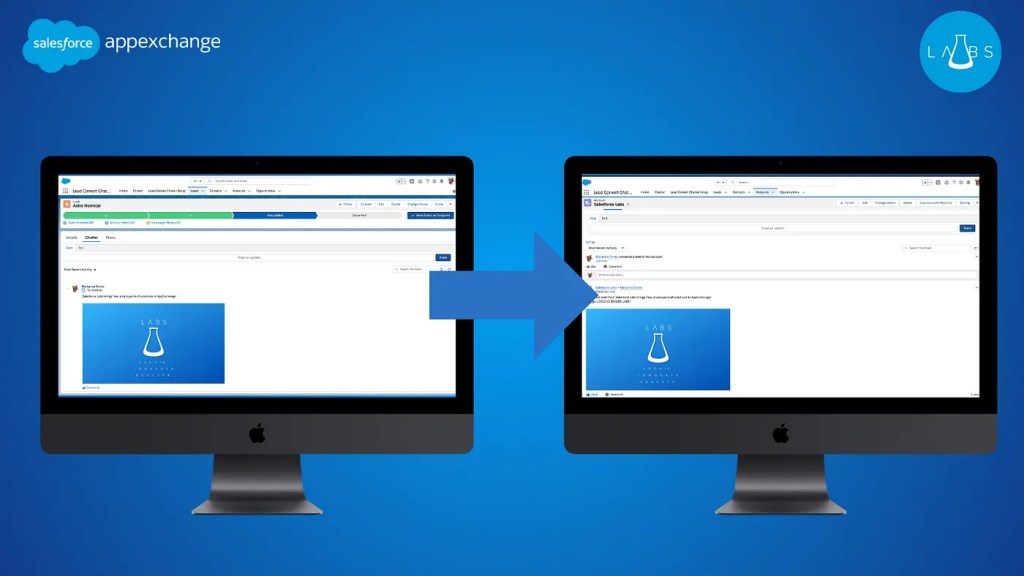
As you know, each record object is equipped with a Chatter feed that enables users to collaborate and communicate with each other about particular records. Leads are a bit different from other records because they aren’t technically official customers or “records” just yet. This strange status means that communications around Leads are entirely different from the communications around the same records when they are converted to Accounts.
When Lead Convert Chatter is brought to your org, all communications that are on Lead records are automatically migrated to their converted Account records! This means you can keep all communications surrounding a customer, rather than starting with a blank slate.
Move Chatter from leads to contacts, accounts, and opportunities! All posts, comments, likes, links, and files are migrated for you when your leads are converted. Select one or more objects to move the Chatter to. (Default: Contacts only)
Categories
Agentforce Content
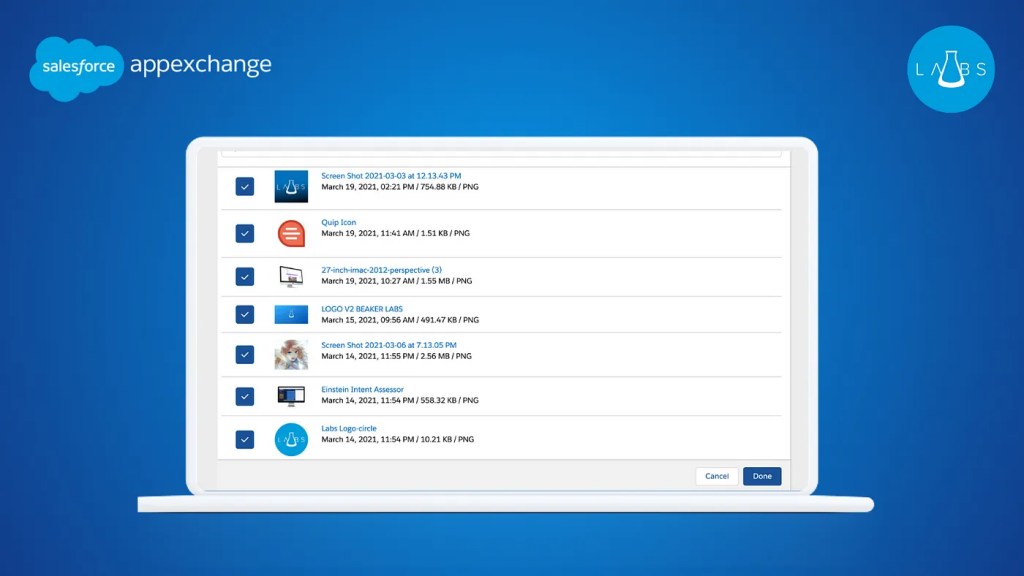
"Image Uploader" lets you display a list of images and files just by placing it on the record page, which is especially suitable for handling many images. You can use files smoothly by renaming when uploading, uploading from mobile app, and carousel.
Categories
Agentforce Content
Image Uploader
Uploading images to your Salesforce environment is certainly one of the less exciting tasks on your to-do list, but Image Uploader makes it fun!
This is one of my favorites of 2021 so far. This component provides you with a handy utility to upload image files from anywhere in your Salesforce environment. You can search for files by name, and view them all in a visual list. You can select whether or not you want your images to be available to the public, and fun feature- you can also view your images in a carousel.
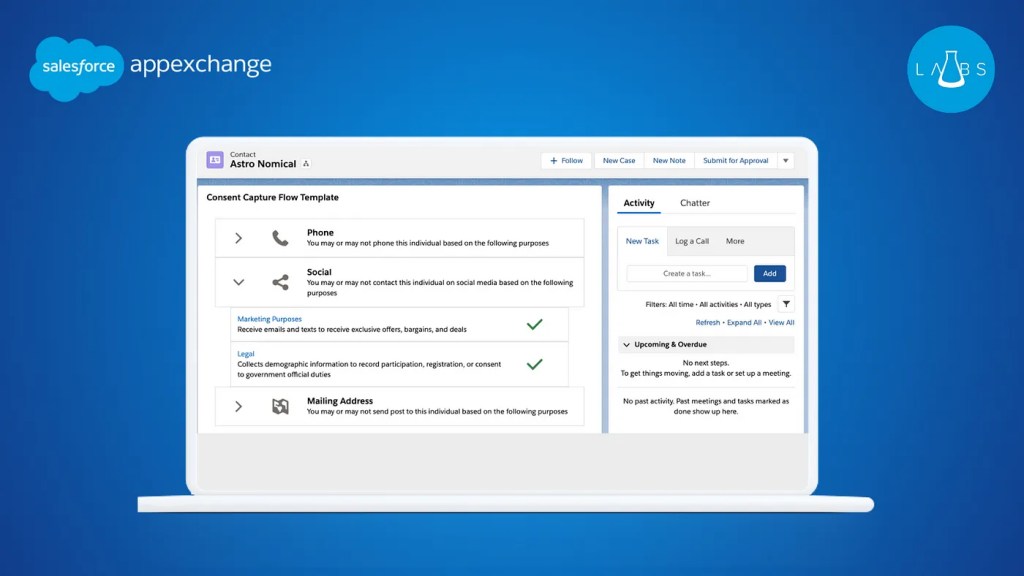
Consent Capture
When you’re working to manage communications around particular leads, this solution can come in handy.
Consent Capture is an interactive flow that helps keep track of contact consent for records, and is perfect for users that are managing marketing communications. After you’ve set criteria, you can start keeping track of communication consent for specific channels and contacts. Determine who can be contacted and through what channels, such as phone, email, and social media.
Flow builder gives you the ability to simplify complex business processes! Using Consent Capture, you can now use flow to manage consent directly on Salesforce using the *NEW* privacy and data governance objects with this awesome flow template!
Categories
Agentforce Content
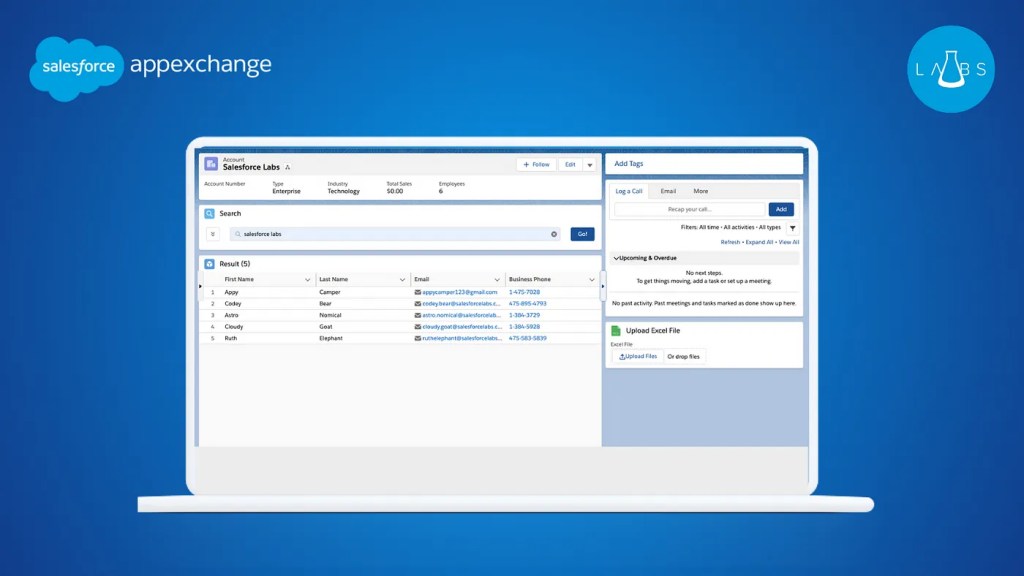
Record Hunter lets you to create a customized search box for any records on your Salesforce org.
Categories
Agentforce Content
Record Hunter
Searching for records can turn into an unplanned adventure if you aren’t prepared.
Luckily, the Record Hunter component can help. When you bring Record Hunter to your Salesforce environment, you bring a customized search box to your Lightning pages. Simply determine which objects and fields to pull information from, then you can start searching for records with ease!
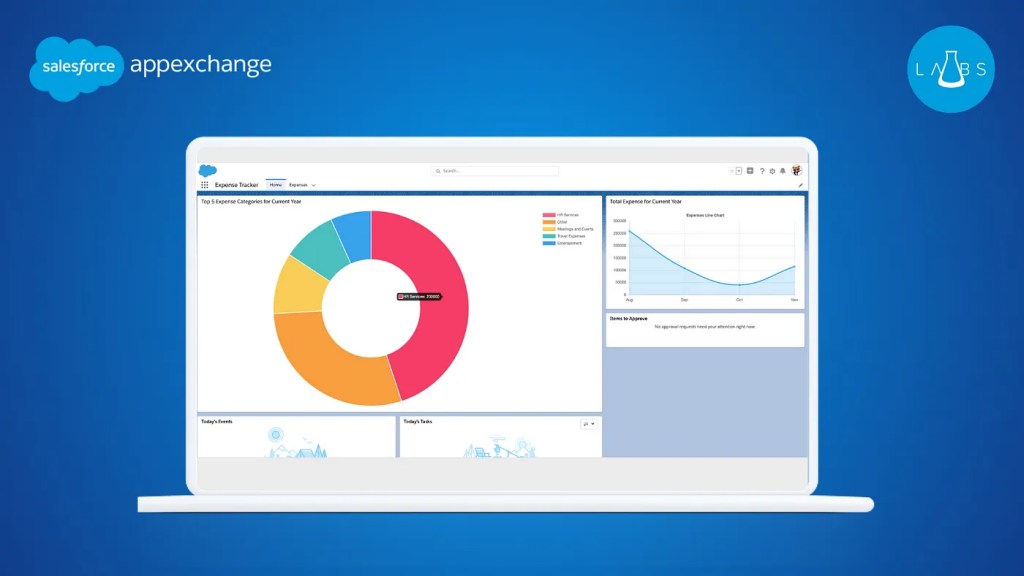
Expense Tracker
Expense Tracker can provide small businesses with a lightweight solution to help manage finances.
Once the admin has built the necessary approval processes, users can start submitting expense requests with ease. On the manager’s end, the package also includes a handy dashboard that reports on the total amount of expenses, so executives can keep track of the total amount of resources spent per quarter.
Let your employees file expense reports within Salesforce! This app supports filing expenses across different vendors and categories, as well as Manager approval processes, dashboards, and reports.
Categories
Agentforce Content
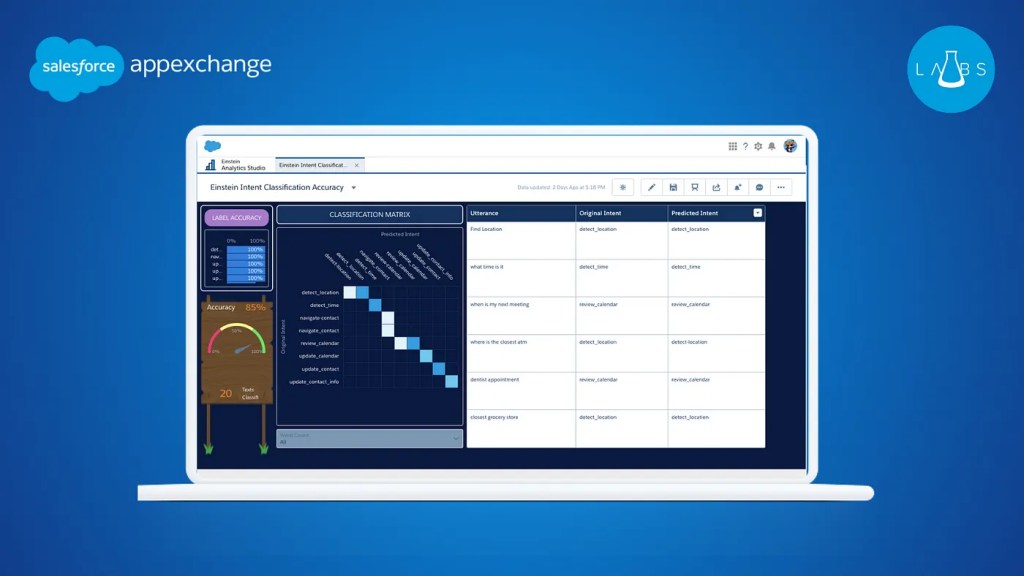
This Einstein Analytics template helps you visualize the accuracy of you Einstein Language Intent Models. You can quickly identify specific labels and utterances your model is struggling to classify.
Categories
Agentforce Content
Einstein Intent Assessor
Einstein Intent Assessor is a Tableau CRM Dashboard that helps you measure the accuracy of your Einstein Intent model.
Once you’ve successfully configured the required custom fields, you’re granted a powerful dashboard that highlights the overall accuracy, and easily identifies misclassification “hot spots” where your model may need optimizations.
All Onboard Starter Pack
The All Onboard Starter Pack is a nice solution to help manage any business’ onboarding process.
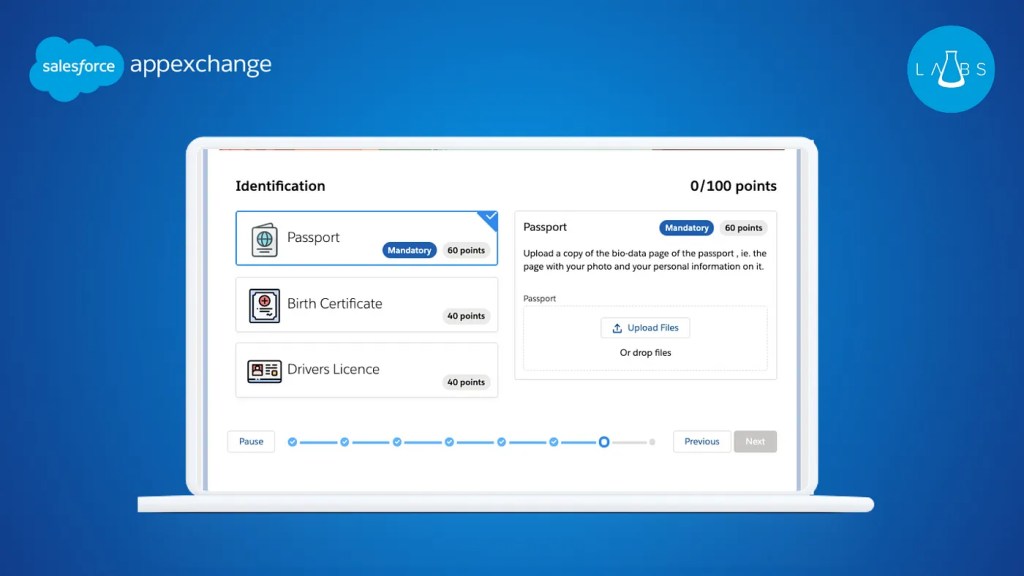
This app includes a flow that records identifiable information, such as name, birthday, and emergency contact information. Additionally, the app also includes a file uploader so you can collect documents like IDs, passports, and more.
All Onboard provides you utility sub-flows to implement 2 Factor Authentication (2FA) using One Time Password (OTP) to verify the person as well as collect the documents you need to on-board them.
Categories
Agentforce Content
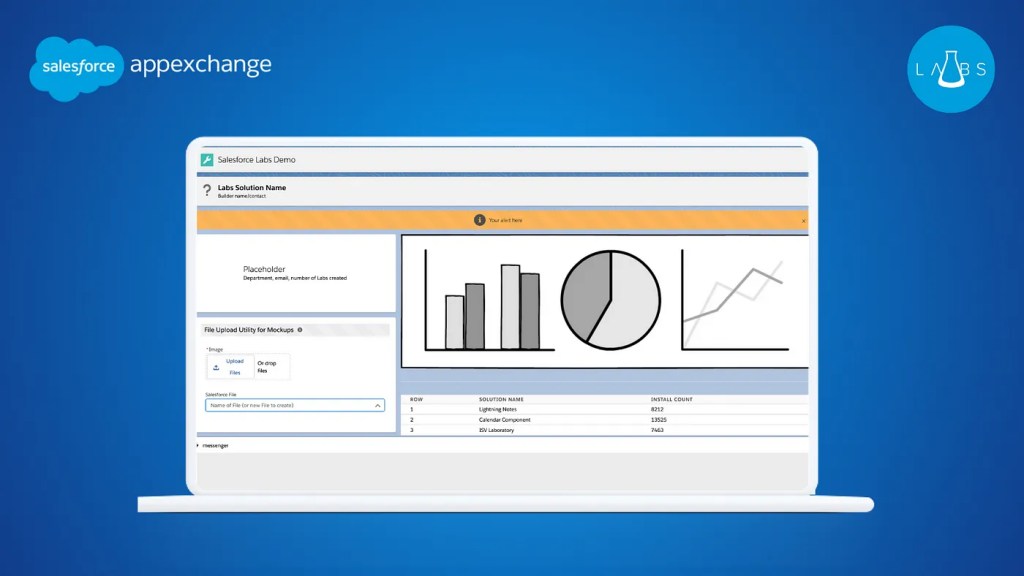
This is a suite of components that help you create 'Digital Paper Prototypes' to help you and your customers quickly envision what the Lightning Experience could be for them.
Categories
Agentforce Content
Mockup Components
If you’re constantly white-boarding and designing new apps and page layouts, this component pack is for you.
Lightning Mockup Components provides a next-generation way to plan out your Lightning page designs and customizations- without the paper. In fact, you can bring your ideas directly to the Lightning interface with the power and capabilities of the App Builder. Mockup Components provides Admins with LWC tools such as placeholders, images, and alerts to help them best design their ideas in the Lightning interface. Admins can obtain real-time feedback about these designs with a live demo experience, rather than thoughts based off paper alone.
MFA Dashboard
With the new MFA requirements rolling out to Salesforce, I thought that testing this solution was a must.
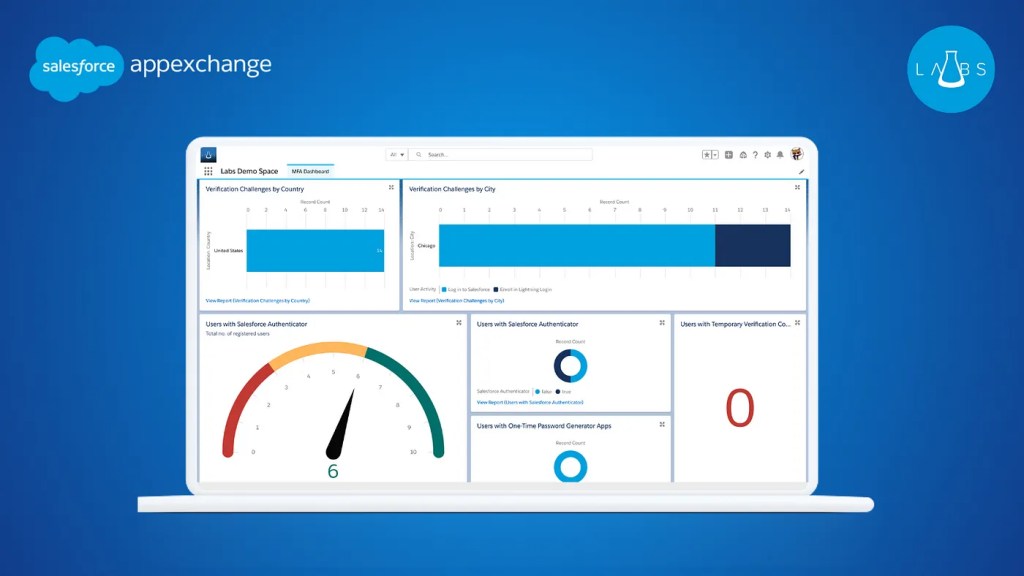
MFA Dashboard reports on users with 2 factor authentication enabled for their profiles. As an admin, rolling out MFA shouldn’t be a game of hide and seek for your users. MFA Dashboard gives you all the insight you need! This dashboard clearly outlines the number of users that have MFA enabled, and it also notifies you of the total number of users who still need to enroll. You can also obtain insight into users who are utilizing the Salesforce Authenticator app vs other authenticators.
A comprehensive dashboard for monitoring, auditing, and reporting on multi-factor authentication (MFA) adoption and usage in your Salesforce org.
Categories
Agentforce Content
Salesforce Labs brings free, employee-built solutions to AppExchange.
Many Salesforce Labs solutions are open source, so check out our repository on
We also have our own landing page on AppExchange!