
AppExchange Test Drive: The Fast and Easy Way to Try Apps
How AppExchange Test Drive Works
A Test Drive lets you get hands-on with an app in just a few clicks. Here’s how.
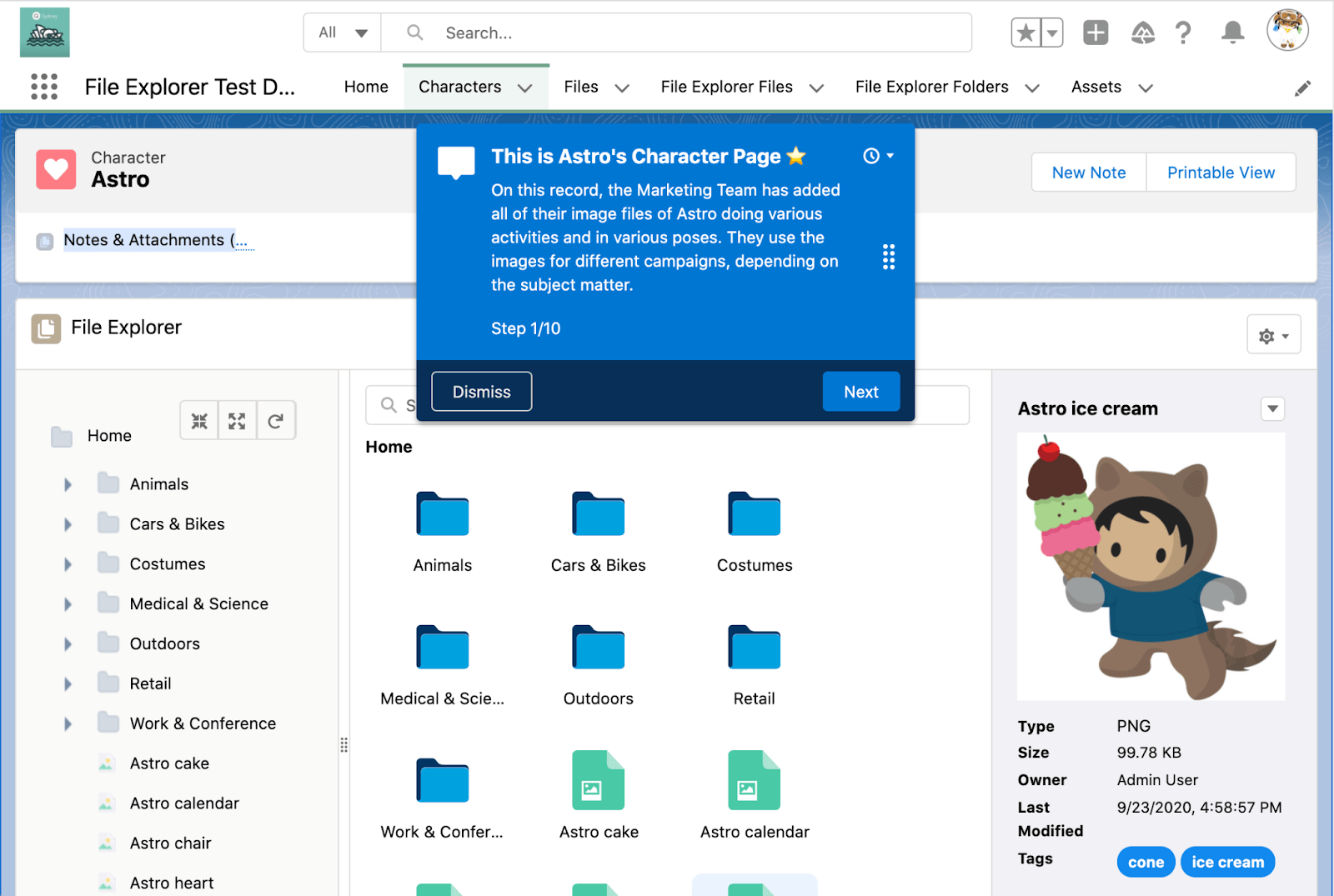
First, find an app that offers a Test Drive. Then click the Test Drive button (1) to be transported to a read-only Salesforce org that includes the app, sample data, and, in some cases, a guided tour. You’re free to explore the app at your own pace, saving you time and resources because the entire experience is contactless.

Frequently Asked Questions
How do I know if an app is available to Test Drive?
Look for the Test Drive icon on the app listing. We’ve also put together a list of best-in-class Test Drives in this
Do I need any training or knowledge to take a Test Drive?
Nope — and no seatbelt, helmet, or driver’s license required, either! The entire Test Drive experience is guided by helpful prompts, videos, and images curated by the app provider.
Do I need to install anything to take a Test Drive?
Nope! If an app offers a test drive, the entire experience is delivered through a standalone Salesforce org that you’re free to explore at your leisure.
What’s the difference between a Test Drive, a free trial, and a demo?
Great question! Here’s how they compare.
- Test Drive: A Test Drive lets you explore a read-only Salesforce org that contains the app you’re interested in, plus sample data. Often, a Test Drive includes a guided tour that highlights the app’s key features. (Don’t worry —- you can skip the tour if you prefer to explore things on your own!)
- Demo: A demo is a short video that shows off an app’s top features.
- Free Trial: A free trial is a standalone Salesforce org that contains the app you’re interested in, with the option to add your own customizations and data. Because free trials are customizable, they often take a little time to create, and you may need to interact with the app provider’s sales team. The benefit of a free trial is that if you choose to buy the app, your customizations, data, and users are maintained. The caveats: free trials often don’t include sample data, and you lose access to the org if the trial expires.
Do I need to log in to AppExchange to take a Test Drive?
No, although logging in provides a more seamless experience, you can still take a Test Drive as a Guest User after filling out a short contact form.
Are there any costs, caveats or gotchas to know about before I take a Test Drive?
No, Test Drives are 100% free. If you select the “Contact Me” checkbox on the Test Drive contact form, a representative from the app provider may reach out to ask about your experience and answer any questions you have.
I’m ready to take a Test Drive. What should I do next?
Start by exploring our market collection of apps with the best Test Drive experiences. When you see an app that interests you, open the listing. Then, take the Test Drive — that’s it!
I’m a Salesforce partner. How do I add a Test Drive to my app listing?
Thanks for your interest! To get started, check out