

Introducing AppExchange Chat!
How can AppExchange Chat help me?
AppExchange Chat helps you make decisions faster by giving you easy access to the information that you need. No emails, no phone tag — just real-time answers directly from the folks who know their apps the best.
How does AppExchange Chat work?
If you’ve used instant messaging with family or friends, you’ll be right at home with AppExchange Chat.
Here’s how it works:
- Find an
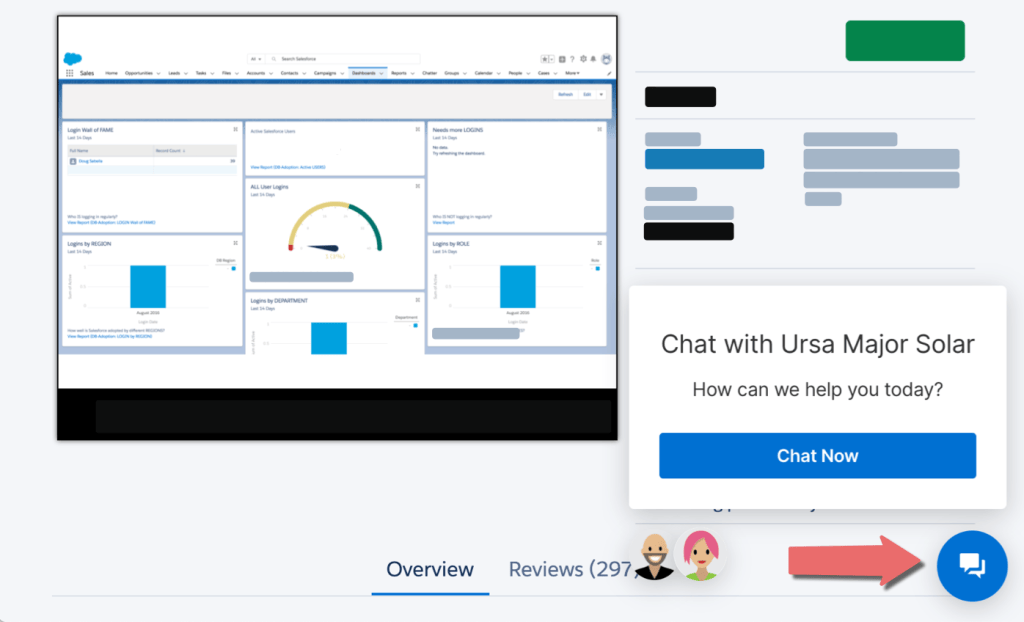
- At the bottom right of the listing, click the chat icon.
- In the window that appears, click the button to start a chat.
- That’s it! AppExchange Chat will connect you with a partner expert. If the partner is away, you’ll have a chance to schedule a live meeting at a time that works best for you.
Tip: Do you prefer voice calls over chat? No problem! While chatting with a partner, click the telephone icon at the top of the chat window to continue the conversation using a voice over internet protocol (VoIP) connection.
How do I know if AppExchange Chat is available on a listing?
If you’re browsing search results or the home page, look for a chat icon. The icon indicates that AppExchange Chat is available and there’s a partner expert ready to answer your questions.
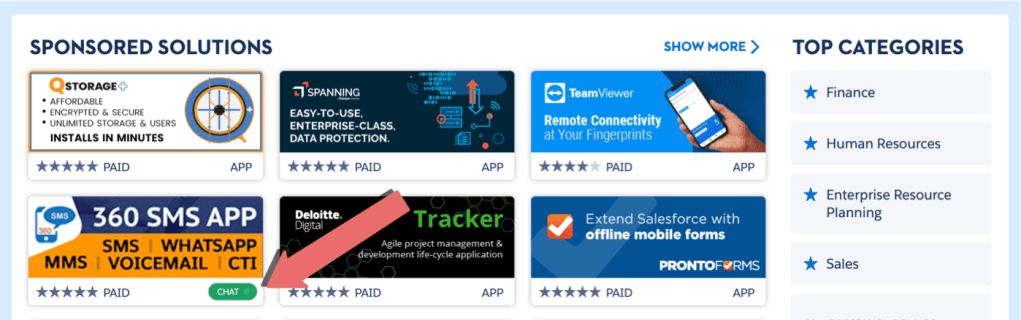
You can also
Who am I talking to when I have a conversation with AppExchange Chat?
During business hours, you’re talking to a live partner expert. If it’s after-hours or the partner is away, you’ll be assisted by a friendly chatbot. The chatbot can answer many common questions and help you schedule a live meeting with a partner.
Do I need to log in to AppExchange to use AppExchange Chat?
No, you can use AppExchange Chat without logging in.
I’m ready to try AppExchange Chat. What should I do next?
Just click over to the
I just tried AppExchange Chat. How can I share my feedback?
We’d love to hear how it went. If you’re on social media, tweet us at
I’m a Salesforce partner. How do I add AppExchange Chat to my listing?
Thanks for your interest! Head to the
I just tried AppExchange Chat. How do I share feedback?
We’d love to hear how it went. If you’re on social media, tweet us at
I’m a Salesforce partner. How do I add AppExchange Chat to my listing?
Thanks for your interest! Head to the